Webflow + Linkz.ai
It takes 2 minutes to install Linkz.ai link preview popups on any Webflow website.
How to add Linkz.ai link auto-preview popups to Webflow?#
Prerequisite: Sign-up to Linkz.ai, add your website & get Linkz.ai code snippet
You need to add Linkz.ai code snippet as Custom HTML in your Webflow dashboard.
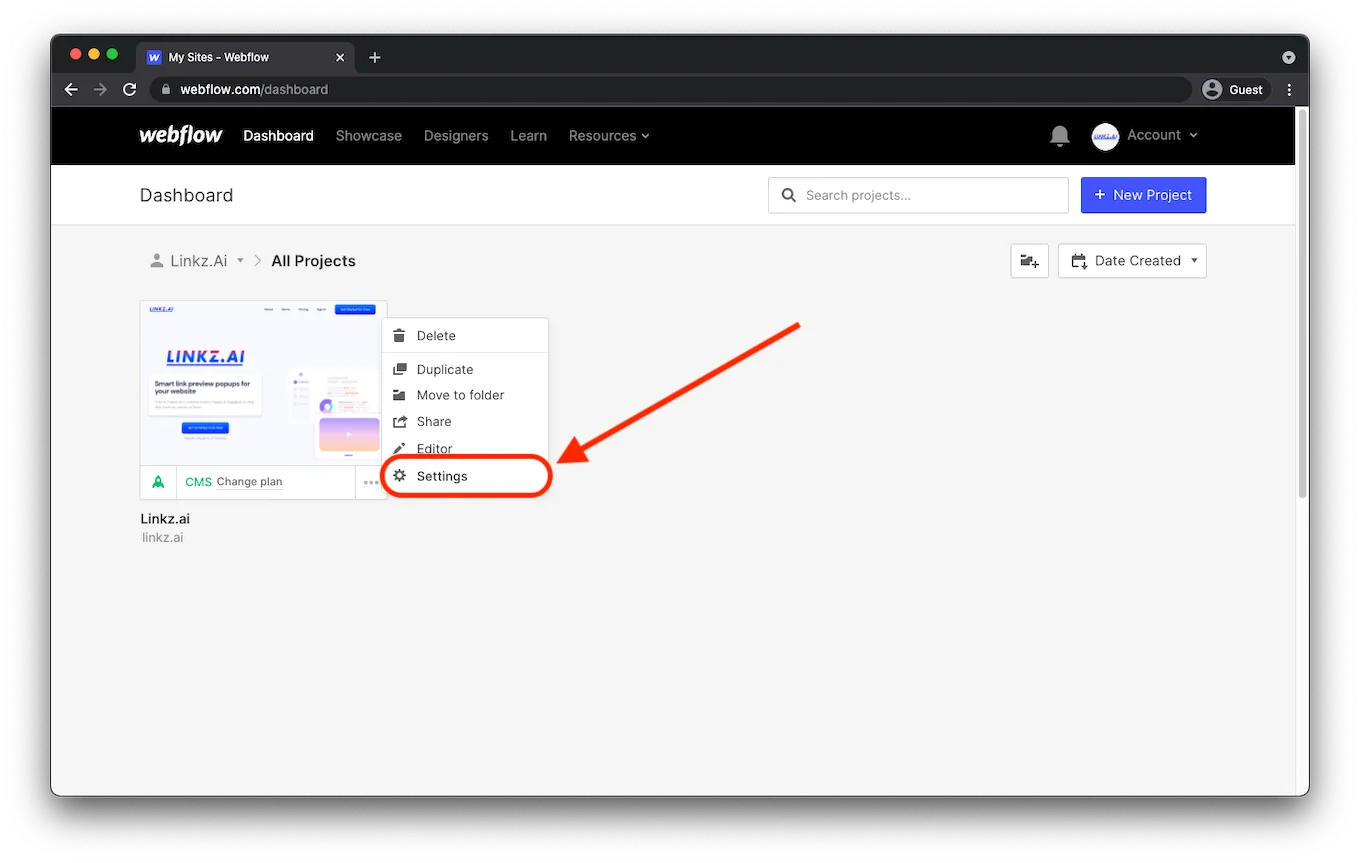
Step 1. Open Webflow dashboard and go to your project settings
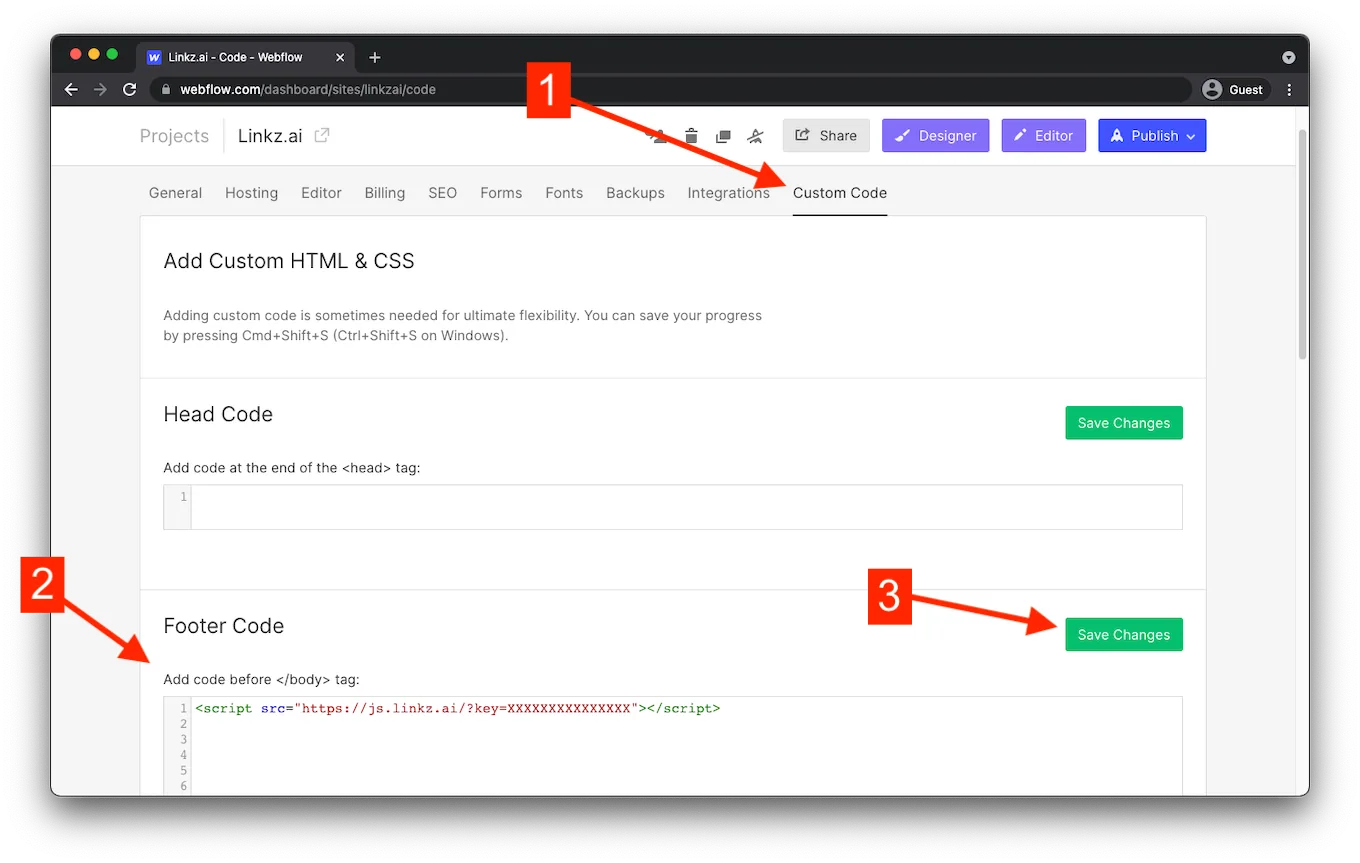
Step 2. In the “Custom Code” tab, find “Footer Code”, paste your Linkz.ai popup script code and click “Save”
You can customize the popup display in the Linkz.ai advanced settings. After you “Publish” your website, Linkz.ai popups will be available for all your visitors.
Still stuck? Chat with us
Tell us what you are trying to set up and someone from the Linkz.ai team will help you finish it.