Placement of link preview popups
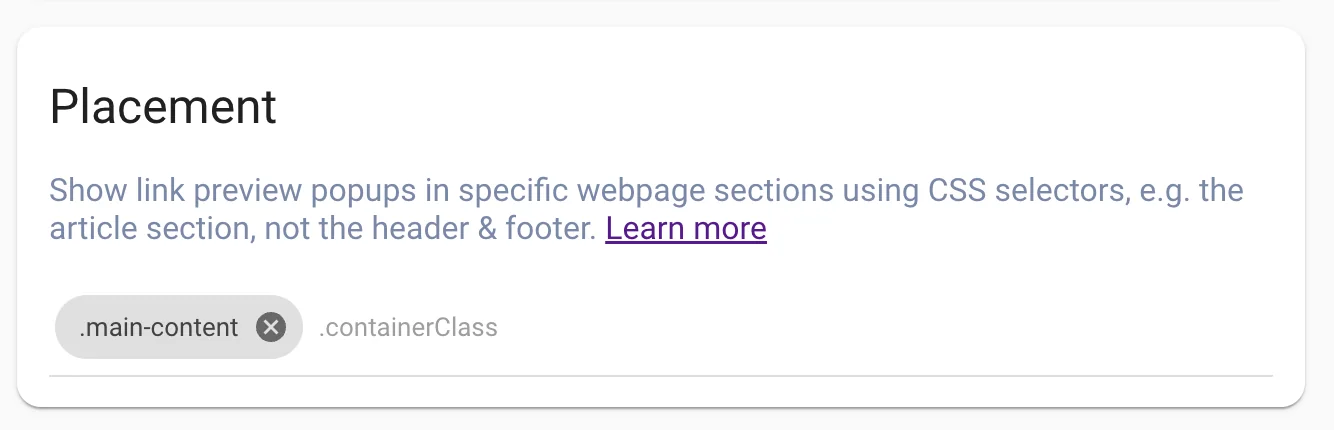
You can show link preview popups in specific webpage sections using CSS selectors. For example, it’s common to display link previews in a blog post section, not in a header & footer. To do that, you need to specify the webpage’s HTML elements(containers) where you want link previews to appear.
Your webpage HTML markup usually looks like this:
<body>
   <div class="header">...</div>
   <div class="main-content">...</div>
   <div class="footer">...</div>
</body>
Based on the example above, to enable link previews only inside “main content”, add .main-content CSS class to the “Placement” settings. This will prevent link previews from appearing in header and footer of your website.
Best Practice:
- Choose a parent container element, instead of targeting individual
<a>link elements - You can add multiple HTML containers
- Instead of targeting generic HTML classes, add unique HTML attribute for container where you want link previews to appear, e.g.
<div data-linkz-ai-container>...</div>, then add the following CSS selector:div[data-linkz-ai-container]to “Limit Link Previews to HTML container(s)” setting
Still stuck? Chat with us
Tell us what you are trying to set up and someone from the Linkz.ai team will help you finish it.