Shopify + Linkz.ai
It takes 2 minutes to install Linkz.ai link preview popups on any Shopify shop
How to add Linkz.ai link auto-preview popups to Shopify?#
Prerequisite: Sign-up to Linkz.ai, add your website & get Linkz.ai code snippet
You can easily add Linkz.ai to your shop on Shopify. To do that, you would need to add Linkz.ai code snippet in your Shopify Theme.
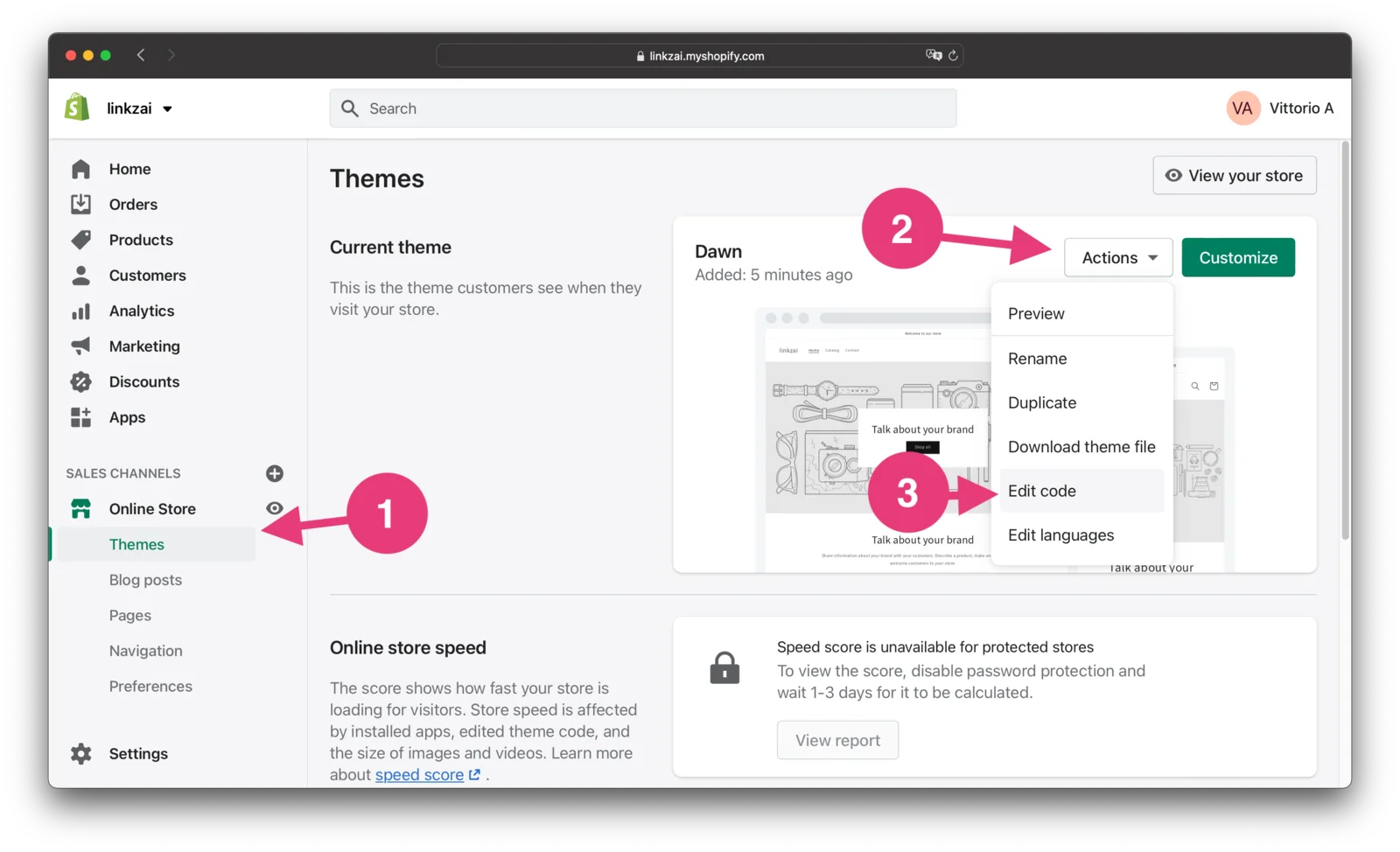
Step 1. In your Shopify Dashboard open “Theme” settings from the left sidebar. Then click “Action” -> “Edit Code”
Step 2. In the theme editing sidebar, select theme.liquid. In the code editor scroll to the end, and paste Linkz.ai snippet before closing </body> tag. See screenshot for details:
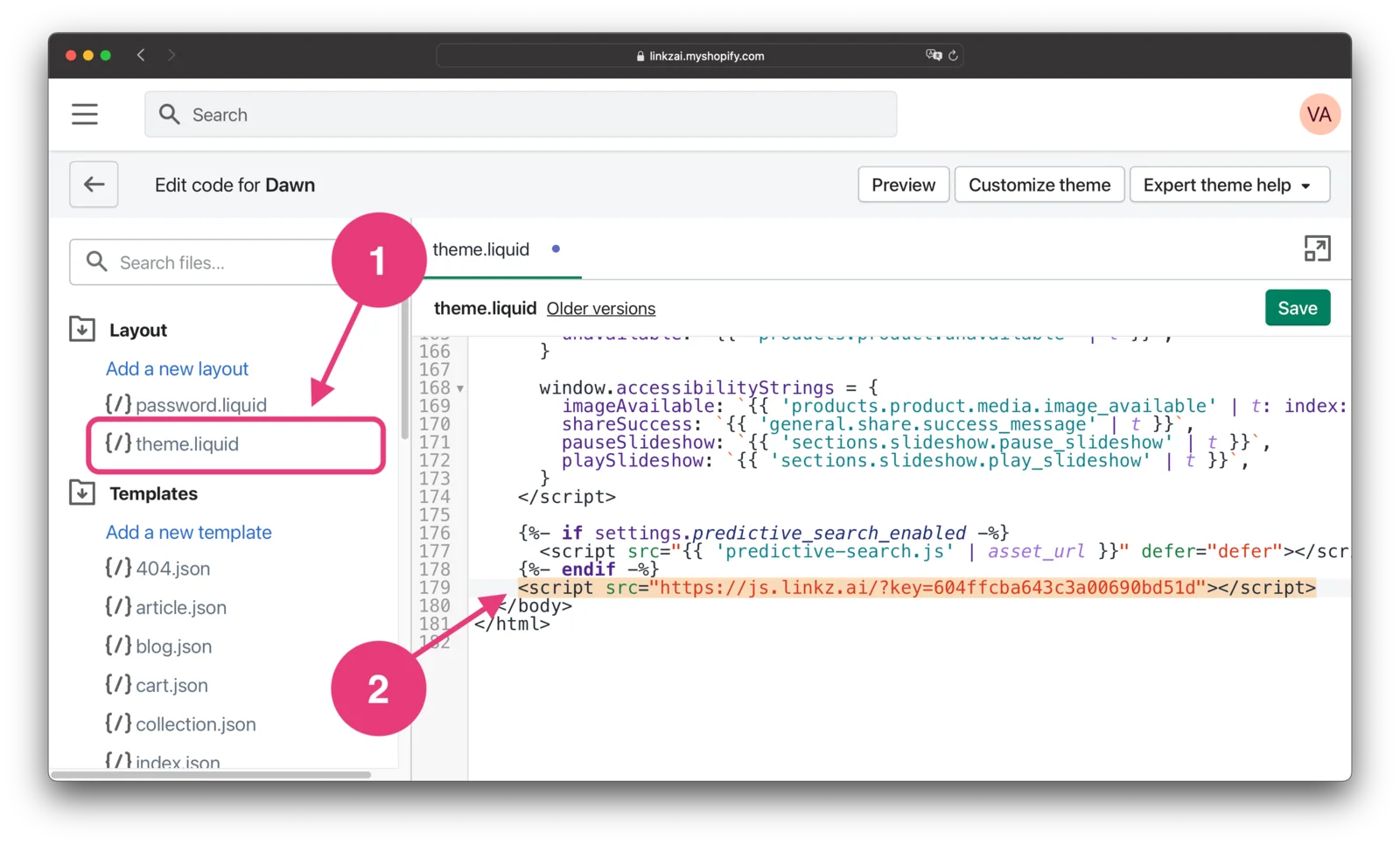
After you “Save” your changes, Linkz.ai would be available on all pages of your shop.
Still stuck? Chat with us
Tell us what you are trying to set up and someone from the Linkz.ai team will help you finish it.